Content
How to Upload a YouTube Video or YouTube Livestream
Last updated 11.26.23
Go to Lockerverse from web, not a mobile device. Make sure you are an admin. Once you are, do the following steps below.
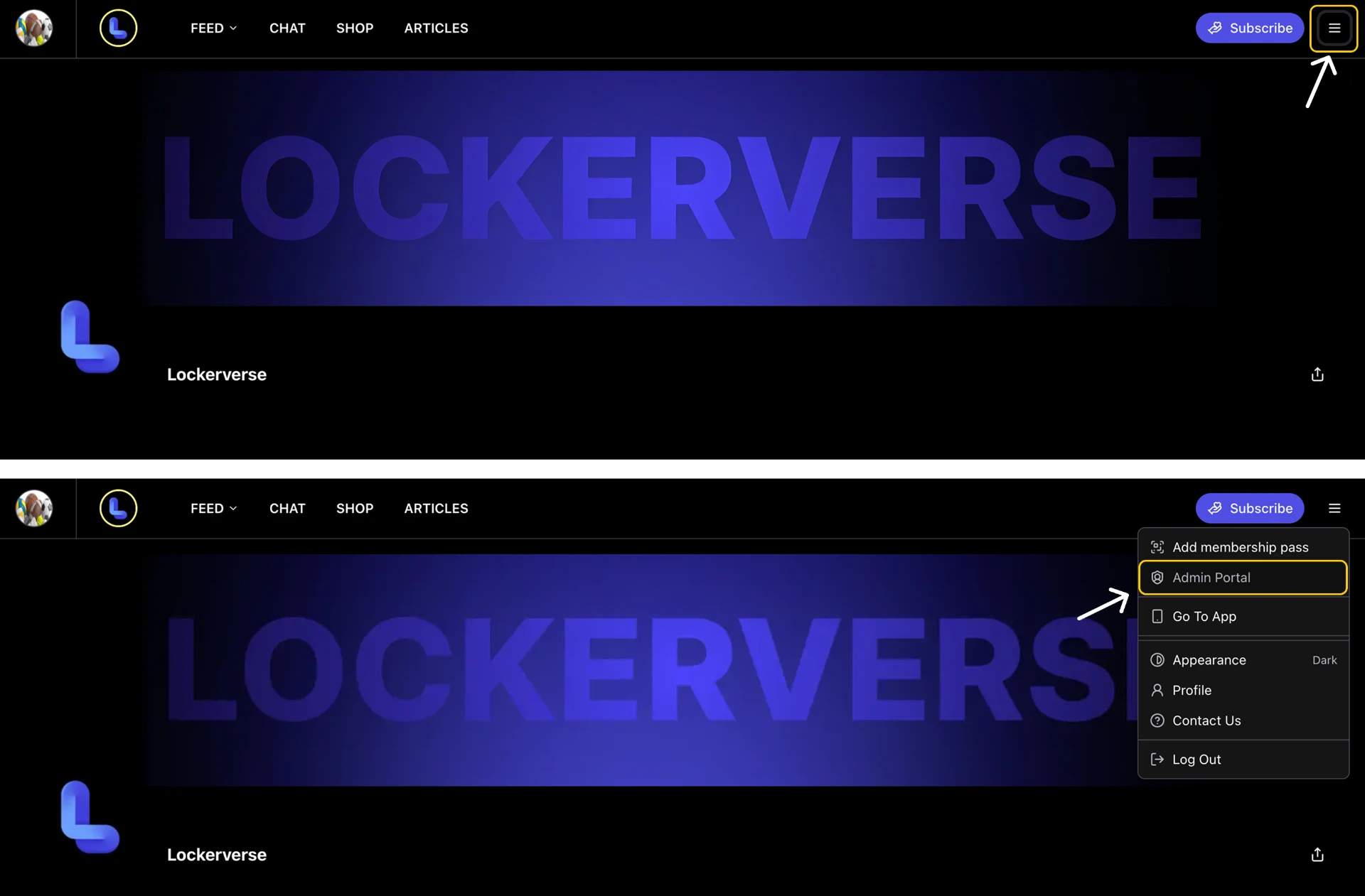
Open LockerverseClick the menu icon in the top right corner, then click Admin Portal
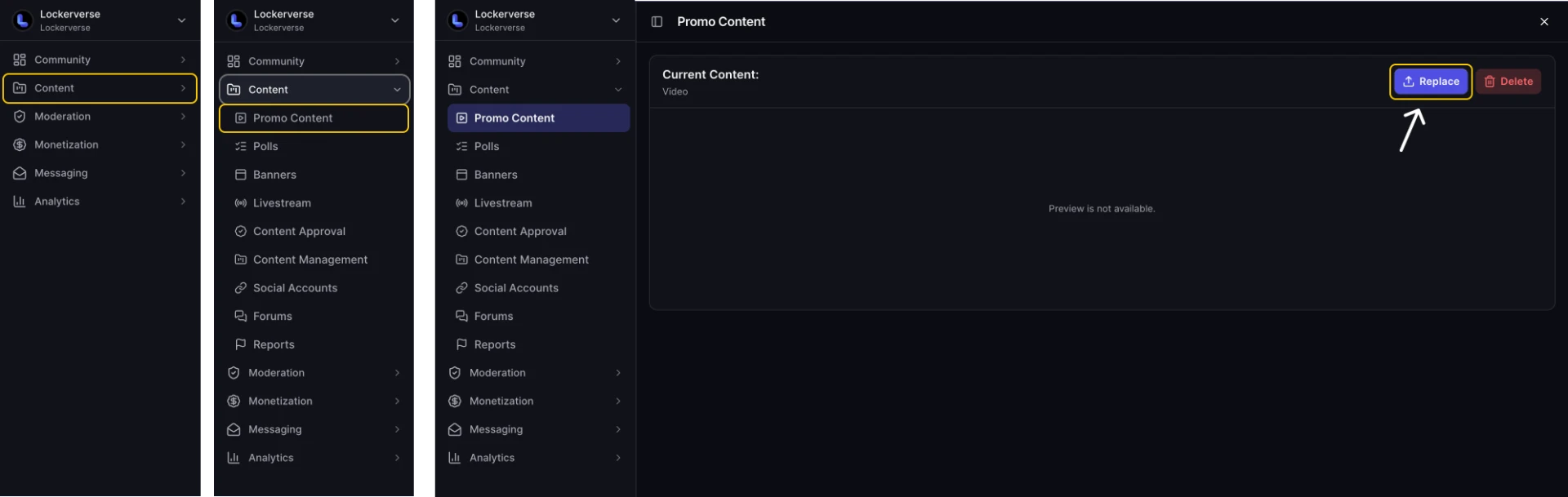
In the left menu, open Content, click Promo Content, then click Replace
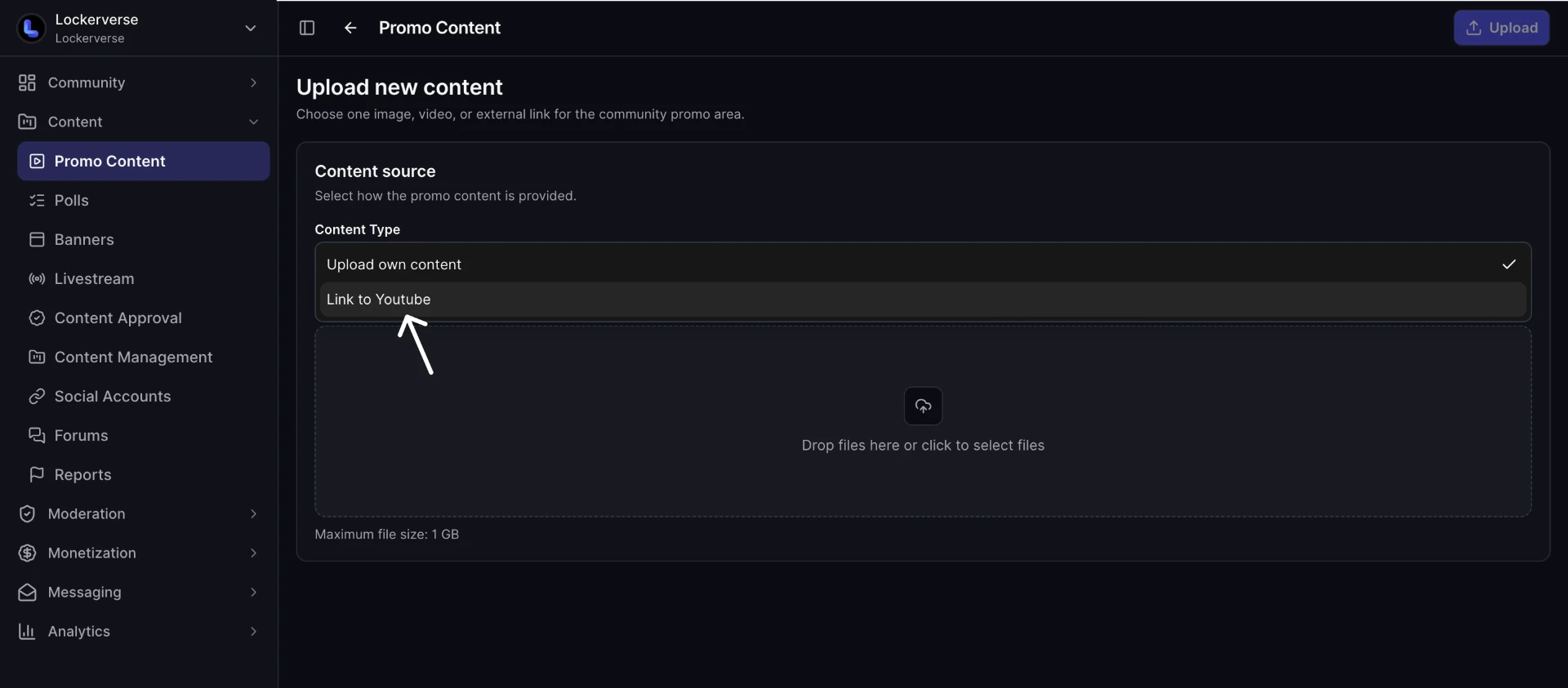
On the Upload new content page, open the Content Type dropdown
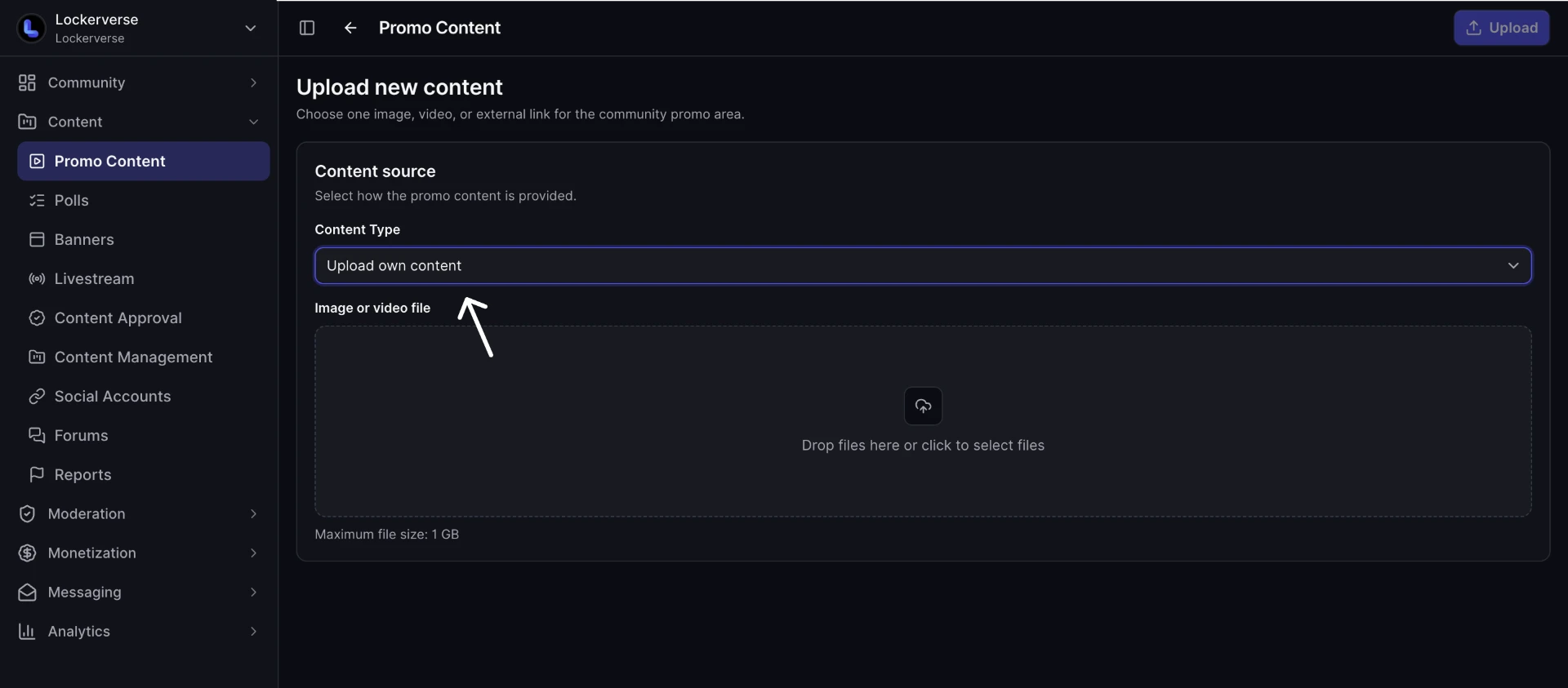
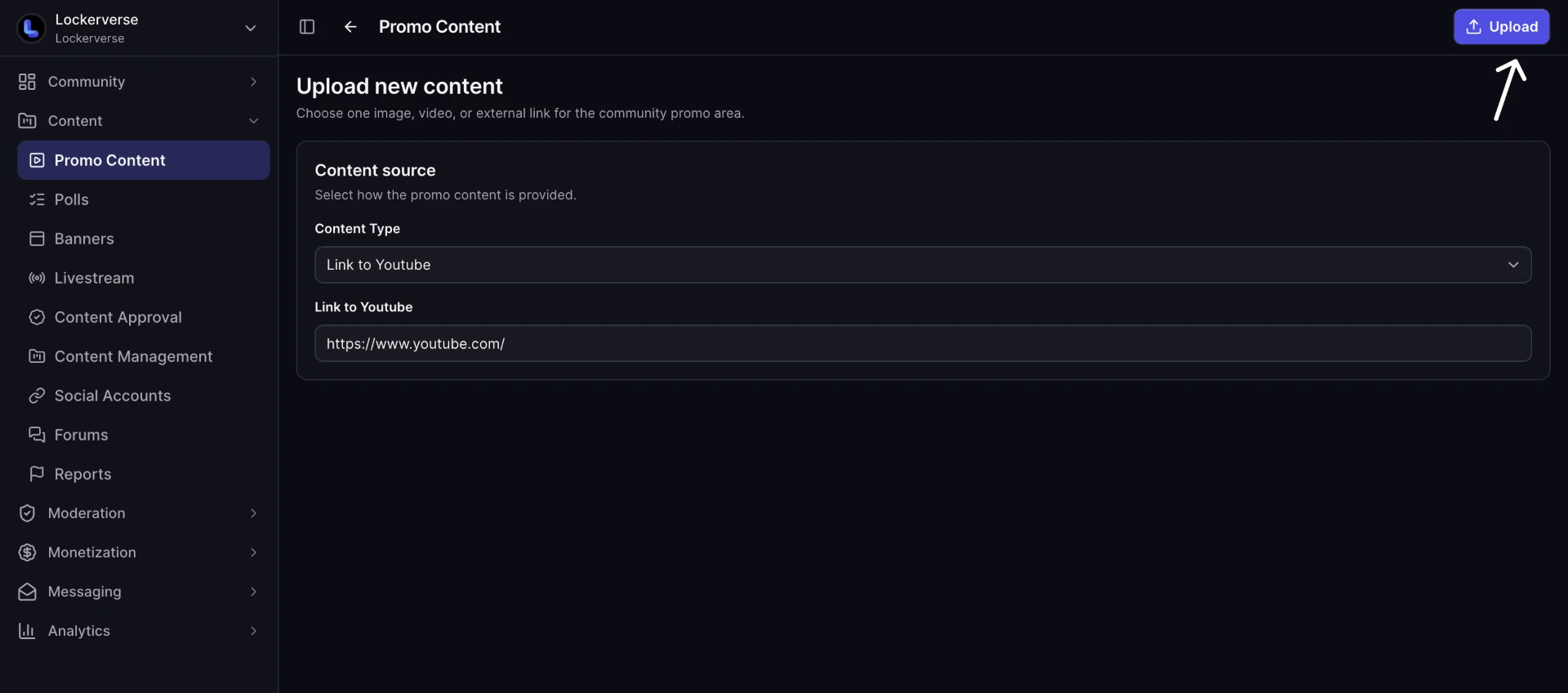
Select Link to Youtube
Paste your YouTube video or livestream link into the Link to Youtube field
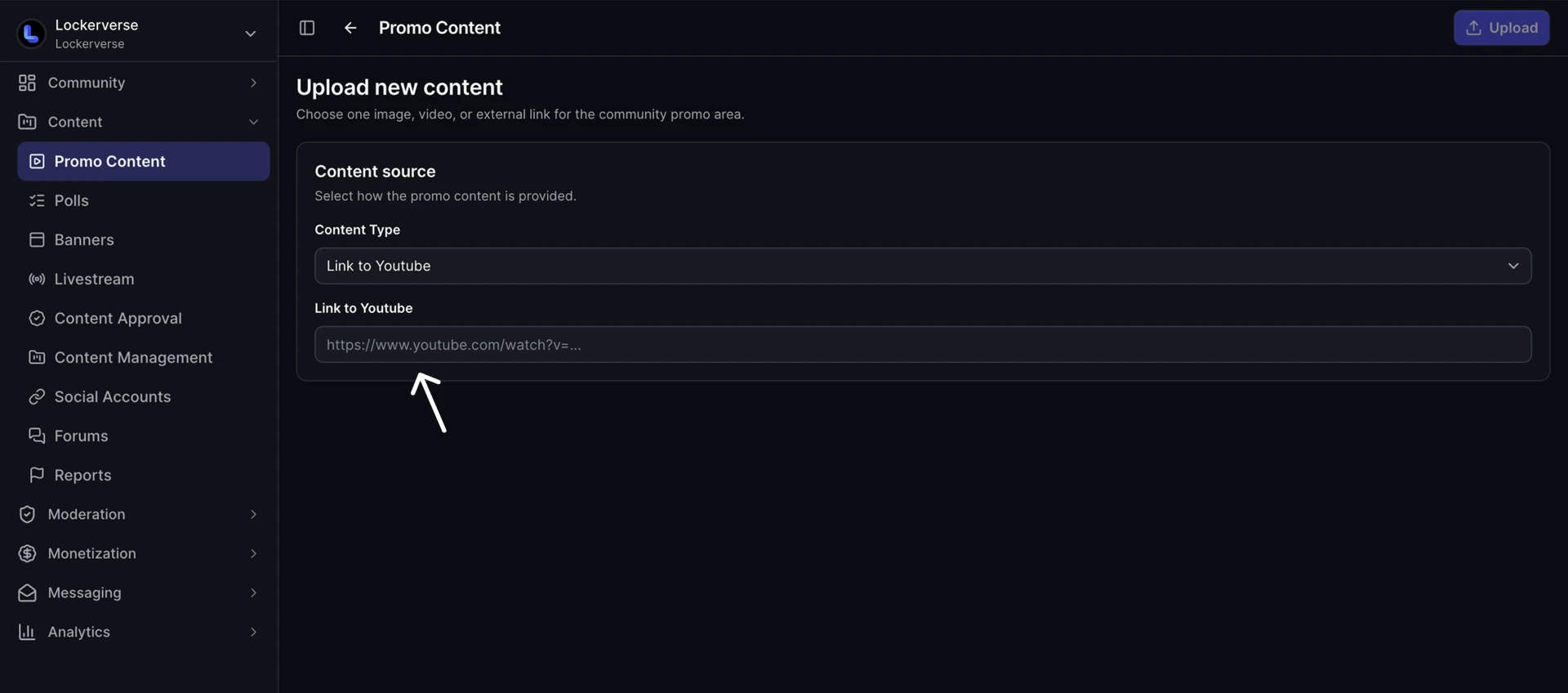
Click Upload in the top right corner