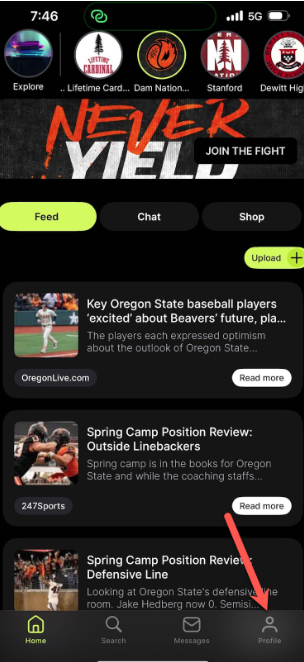
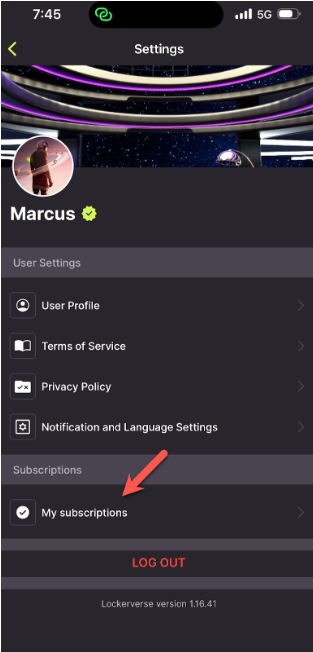
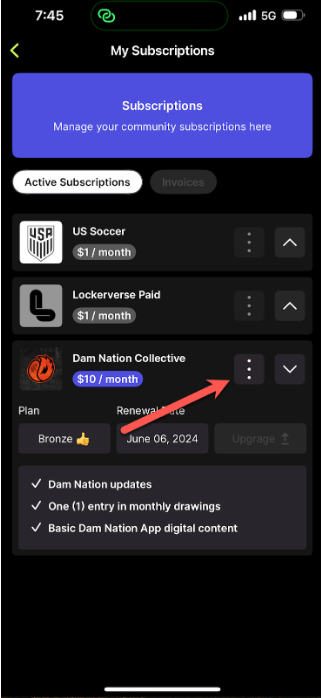
All guidesSubscriptionsHow to Unsubscribe on Mobile1Click on “Profile”2Click on “My Subscriptions”3Click the three dots, then click “Unsubscribe”