Engagement
How to Send Push Notifs
Last updated 9.23.23
Log into Lockerverse Web.
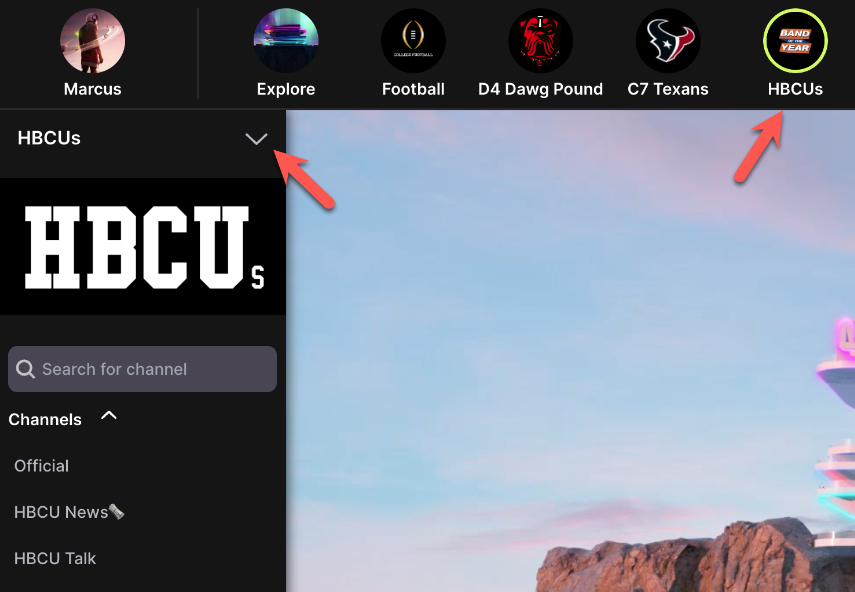
Open LockerverseMake sure you are an admin of the community you want to send a push notif from. Once you are an admin you will see the upside down arrow to the left.
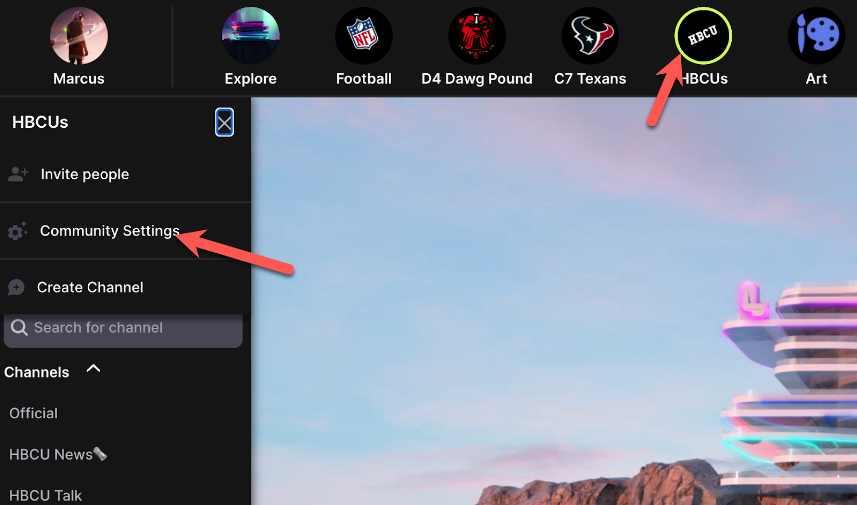
After clicking the upside down arrow click Community Settings
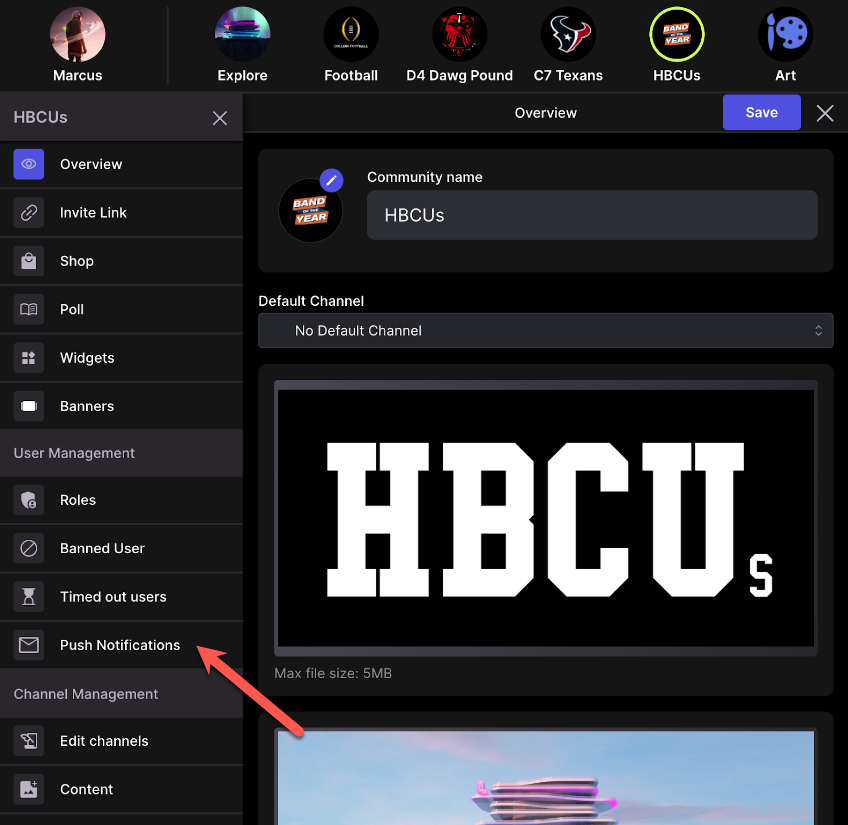
Then click Push Notifications
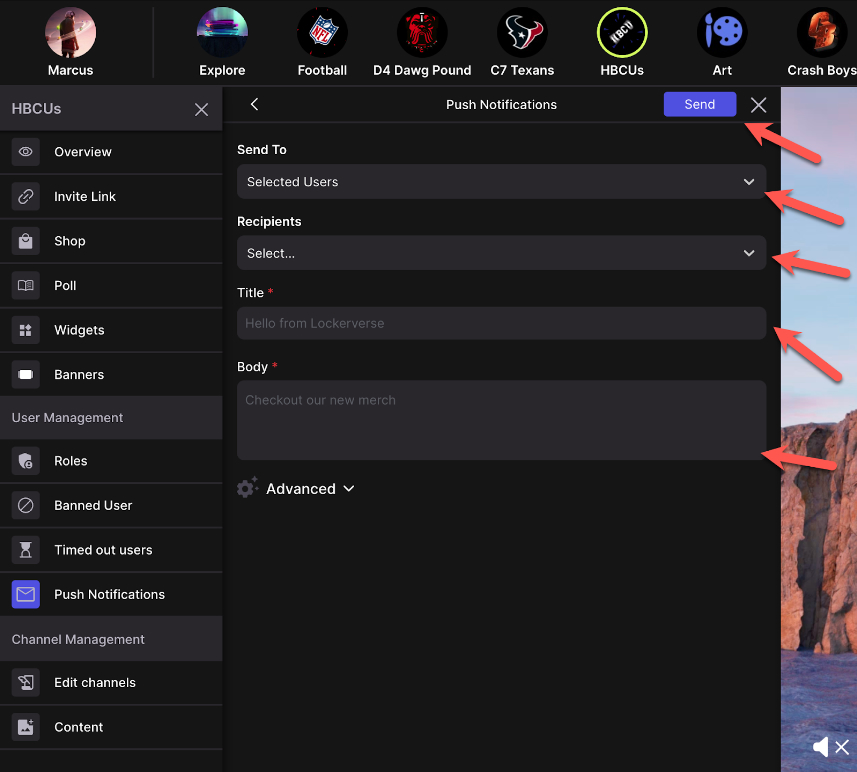
Select yourself and send yourself a test to make sure you got it.
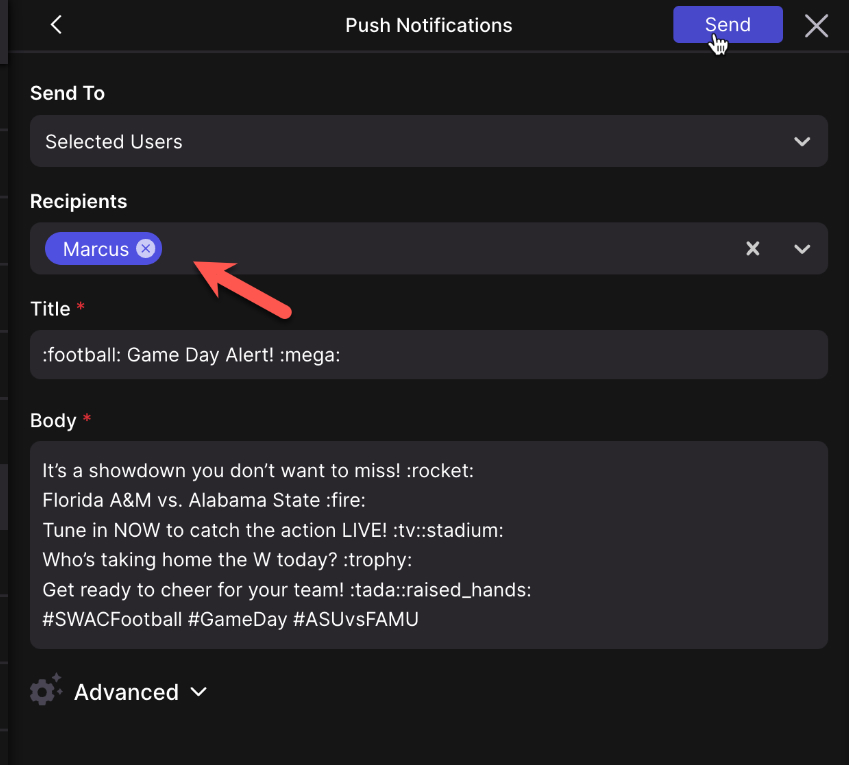
Then select “All Users” or pick users to send to. Add your title and description then hit send.