
Channels
How to Change the Name of a Channel
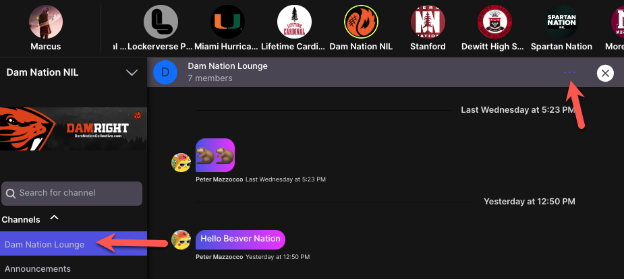
Once you are an admin, select any channel, then click the 3 dots in the upper right corner.
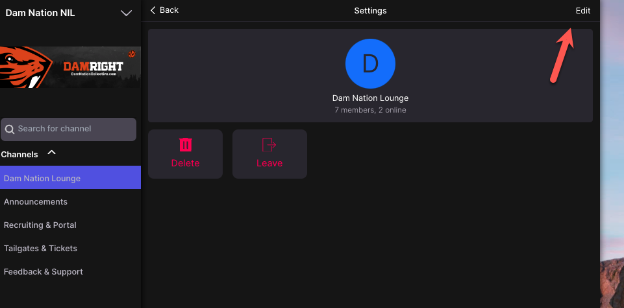
Then select Edit.
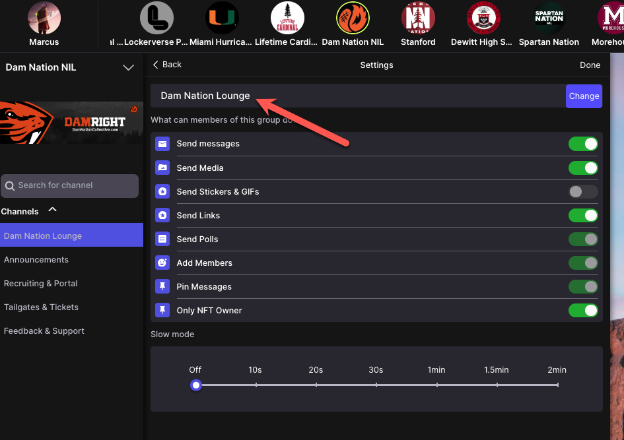
Then edit the name and select “Change”.
Channels
Once you are an admin, select any channel, then click the 3 dots in the upper right corner.
Then select Edit.
Then edit the name and select “Change”.